tscfbench
Turn a before/after time-series question into a counterfactual chart, a reproducible report, a share package, and an AI-agent-ready handoff.
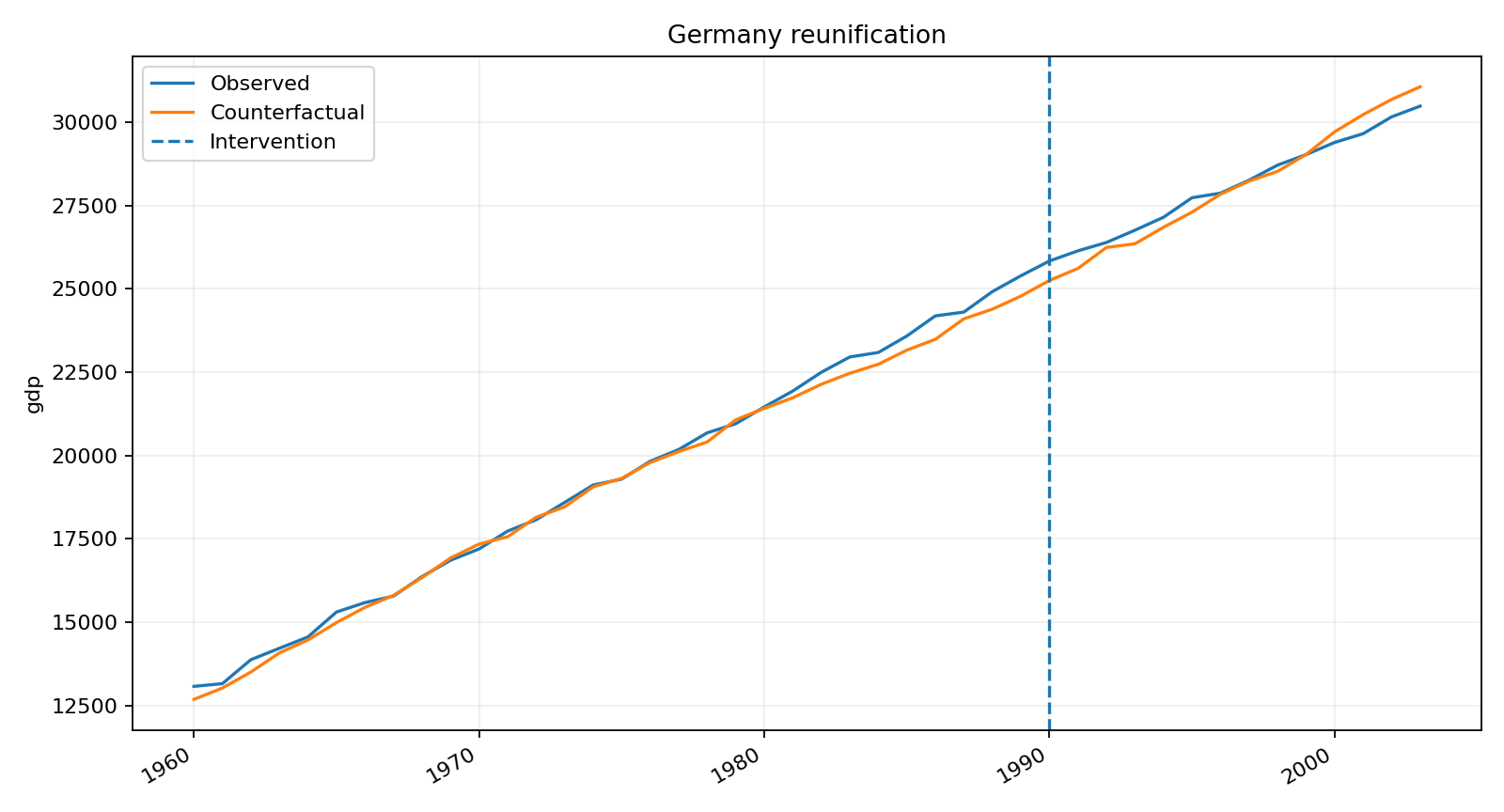
This package is easiest to understand as a counterfactual workflow product: it helps you go from a question to a chart, a report, and a handoff artifact without inventing a one-off workflow every time.
Start in Python
from tscfbench import run_demo

result = run_demo("city-traffic", output_dir="city_traffic_run")
result["summary"]
This is the shortest human-facing example: import the package, run one function, and open the generated chart/report assets in city_traffic_run/.
Bring your own data in Python
import pandas as pd
from tscfbench import run_panel_data

df = pd.read_csv("my_panel.csv")
result = run_panel_data(
    df,
    unit_col="city",
    time_col="date",
    y_col="traffic_index",
    treated_unit="Harbor City",
    intervention_t="2024-03-06",
    output_dir="my_panel_run",
)

result["summary"]
If your question is one treated series with controls instead of one treated unit with donor units, switch to run_impact_data. The full walkthrough is Bring your own data.
CLI quickstart
python -m pip install -e ".[starter]"
python -m tscfbench quickstart
python -m tscfbench doctor
Use the CLI when you want the narrow install smoke test in a fresh environment.
Why not just install one estimator?
- Use a specialist estimator when you already know the exact model family you want.
- Use
tscfbenchwhen you need one workflow surface across panel studies, event-style impact studies, demos, reports, and agent handoffs. - Use
tscfbenchwhen the deliverable matters as much as the model: chart, report, share package, and structured handoff.
Start from your real question
I want the fastest possible first result
I want a demo I can show another person
- Demo gallery
- Showcase gallery
- Detector downtime tutorial
- Minimum-wage employment tutorial
- Viral attention tutorial